Security engineer / OSCE3 · OSEE / HTB Omniscient
Build from an
attacker’s mindset.
I’m Yunolay, a security engineer working in vulnerability assessment, penetration testing and exploit development. This site collects the tools I build from an attacker’s point of view, along with a log of what I’ve been up to. You can also find me on YouTube and X.

ARTICLES
Articles
Write-ups and long-form posts.
- Training review
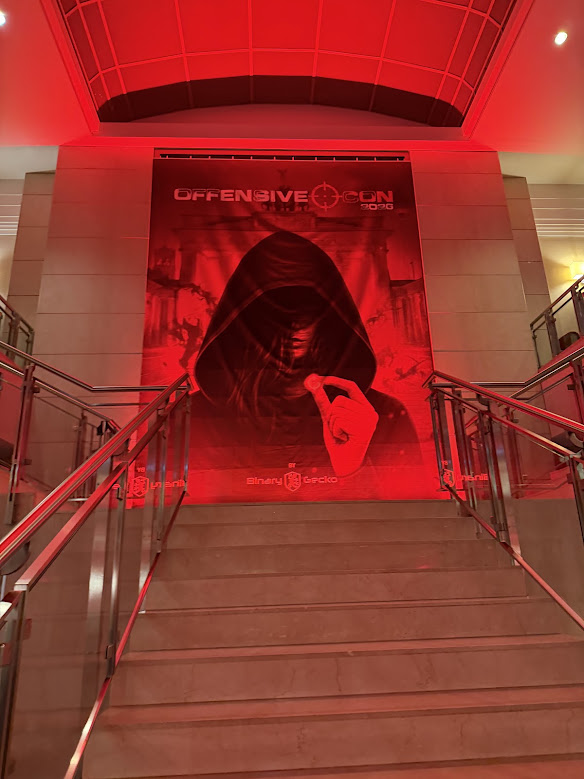
Review — “Practical iOS Reverse Engineering” at OffensiveCon 2026
Impressions from four days of Jiska Classen’s training on reverse engineering iOS apps, the kernel and firmware — and how it became a shortcut for starting iOS research from zero for work.
View details - Productivity
Turn your clipboard into an always-on cheat sheet
Stop googling and retyping the same nmap, git and PowerShell commands. Keep a clipboard manager pinned on top and turn its snippets into a living cheat sheet — shown with my own tool, PasteDrawer.
View details - Exam review
OSEE Review — Our Journey Around the World to AWE
My OSEE (EXP-401 / AWE) write-up — what it is, prerequisites, cost and the exam, plus how two best friends and I traveled the world to train for it.
View details - Training review
Review — “Windows Internals for Security Engineers” at OffensiveCon 2024
Impressions from four days of Yarden Shafir’s Windows 11 kernel internals training — and how much it helped as a foundation for AWE (OSEE).
View details


LOG
Recent activity
Newest first.
- Build
I built a terminal emulator, “Asterism”
A beautiful night-sky terminal with zero setup. Split panes with a click — a Windows terminal that beginners can pick up right away.
View details - Build
Published the OSCP Enumeration Checklist
Added an OSCP exam progress tracker and enumeration checklist to the site.
View details - Build
Released PasteDrawer, a clipboard history tool for Windows
Released a clipboard history tool that lets you pull your history from the screen edge and drag a clip to paste it, in panel, sticky-note or window view. US$12.99 one-time, with a 14-day free trial.
View details - Build
I built a Windows app, “PasteDrawer”
A clipboard history tool you pull out from the screen edge and paste from by drag and drop. The product site is now up.
View details - Build
Released the game “Security Pachi-Slot”
Released a Juggler-style browser slot parodying “security pachinko,” the meme for AI-driven vulnerability research.
- Build
Released the game “Cheat Shogi”
Released a shogi game where cheat cards bend the rules — play the CPU or a friend online with a room ID.
View details - Build
Published the msfvenom one-liner generator
Added a browser tool that generates msfvenom commands and listeners from a dropdown.
View details - Build
Published the Web CheatSheet
Added a pentest / CTF command and technique cheatsheet to the site.
View details - Build
Relaunched yunolay.com
Moved the blog to blog.yunolay.com and rebuilt this site as a home for my activity log and works.
View details - Career
Moved to Fore-Z as Executive Officer
Transferred from Executive Officer at Fore-co.ltd to Executive Officer at Fore-Z.


WORKS
Works
 Site
Yunolay's Blog
My offensive security blog — HTB and VulnLab walkthroughs, Windows internals and more.
blog.yunolay.com ↗ Video
YouTube channel
Streams and videos as a VTuber.
youtube.com ↗ ToolPasteDrawer
A clipboard history tool for Windows. Pull your history out from the screen edge and drag a clip to paste it. Panel, sticky-note and window views. US$12.99 one-time, with a 14-day free trial.
pastedrawer.com ↗ ToolAsterism
A terminal emulator for Windows. A beautiful night-sky terminal out of the box, with no setup, and split panes from a right-click or a button. Easy enough for beginners.
yunolay.com Tool
Web CheatSheet
A pentest / CTF cheatsheet of commands and techniques, from enumeration to web attacks, shells and privilege escalation.
yunolay.com ↗ Tool
msfvenom one-liner generator
A browser tool that builds msfvenom commands and matching multi/handler listeners from a dropdown.
yunolay.com Tool
OSCP Enumeration Checklist
An OSCP exam progress tracker plus enumeration checklist. Track flags, points, the 70-point pass line and a timeline of captures, all in your browser.
yunolay.com ↗ Game
Cheat Shogi
A shogi variant where you pick one of three cheat cards each turn to bend the rules. Play the CPU, or a friend online with a room ID.
yunolay.com ↗ Game
Security Pachi-Slot
A Juggler-style browser slot parodying “security pachinko.” Line up 777 for the SQL Injection bonus.
yunolay.com Code
GitHub
Tools and code I have published.
github.com ↗BLOG
Latest blog posts
The blog lives at blog.yunolay.com.
Get in touch
Want to reach me? Head to the contact page.
LINKS